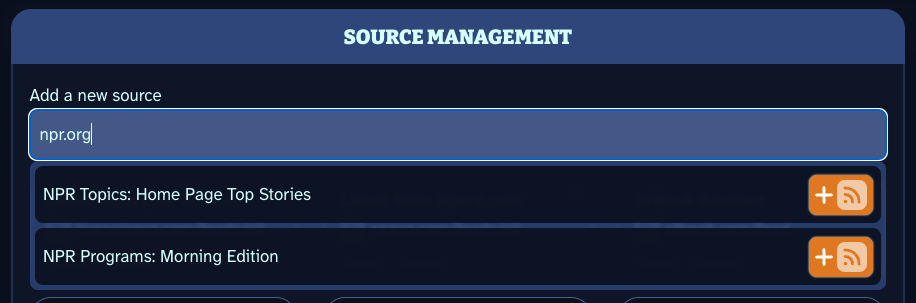
a screenshot of Scoopy's settings section showing the source finder finding sources on npr.org

Feature Highlight: Source Finder

Scoopy is better when you have a great collection of sources powering each refresh. With that in mind, we have created the Source Finder. Previously, you had to paste in the exact RSS URL if you wanted to add a source. Those days are over. With the Source Finder, you can now simply put in any website’s URL, and Scoopy will find any sources attached to that link. It will then give you the option to subscribe. We hope this allows everyone to build their Scoop faster and with less stress. We have ideas to make this feature even better in the future. ...

May 19, 2026 · 1 min

Feature Highlight: Scoopy Picks

Scoopy Picks is a hand-curated set of sources that will fill in the gaps if your Scoop doesn’t have enough sources on its own. These are actual human-picked sources, not advertisements, and not generated. We made an effort to have an eclectic collection that spans niches but isn’t just the usual set of websites you are used to seeing elsewhere. You’ll know a source is a Scoopy Pick if it has our little ice cream scoop icon in the top left. As you add more of your own sources, you will see less Scoopy Picks. Also, if at any time you choose you’d rather not see any Scoopy Picks, you can turn them off at any time in the Settings under “More Options”. ...

May 7, 2026 · 1 min
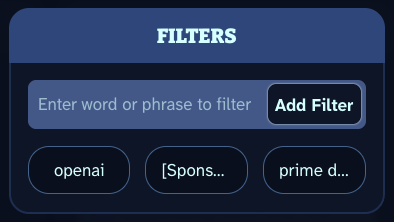
image showing filter boxes within the settings of scoopy.zone

Feature Highlight: Filters

Our Filter feature is just one of the many ways Scoopy keeps you in control of what you see in your scoop. Within the settings pane, you can add or remove any filter you want. Filters can have spaces and special characters, allowing you to pinpoint the exact items you want removed. Once a filter is added, every time your scoop is loaded, Scoopy will make sure no item title matches a filter, and if it does, one of a few things will happen. ...

April 27, 2026 · 1 min

Feature Highlight: Progress Saving

Scoopy wants you to be in control. You should be able to decide when you are ready to put Scoopy down, and move on to other things. We want to encourage this, and we want to do so without you losing your progress in the moment. With this in mind, we’ve built Progress Saving. If you are watching a video, or listening to a podcast, we store your progress as you go. That way, you can stop at any time, and simply pick up where you left off… even on a different device! This works the next time the item shows up in your Scoop, or by storing the item in your icebox for easy retrieval. ...

April 22, 2026 · 1 min
an animated gif scrolling through the social flavor of Scoopy

Feature Highlight: Social Sources

There are a variety of source types that Scoopy supports, and social is just one of them. Just grab the rss feed of any Mastodon or Bluesky user. For Mastodon, that is as simple as taking a user’s profile page and appending .rss. Here is just one example: https://mastodon.social/@nocontexttrek.rss Similarly, for Bluesky, just take a user’s profile page and append /rss to the end. Here is just one example: https://bsky.app/profile/aftermath.site/rss ...

April 20, 2026 · 1 min
gif showing a floating video on scoopy.zone

Feature Highlight: Floats

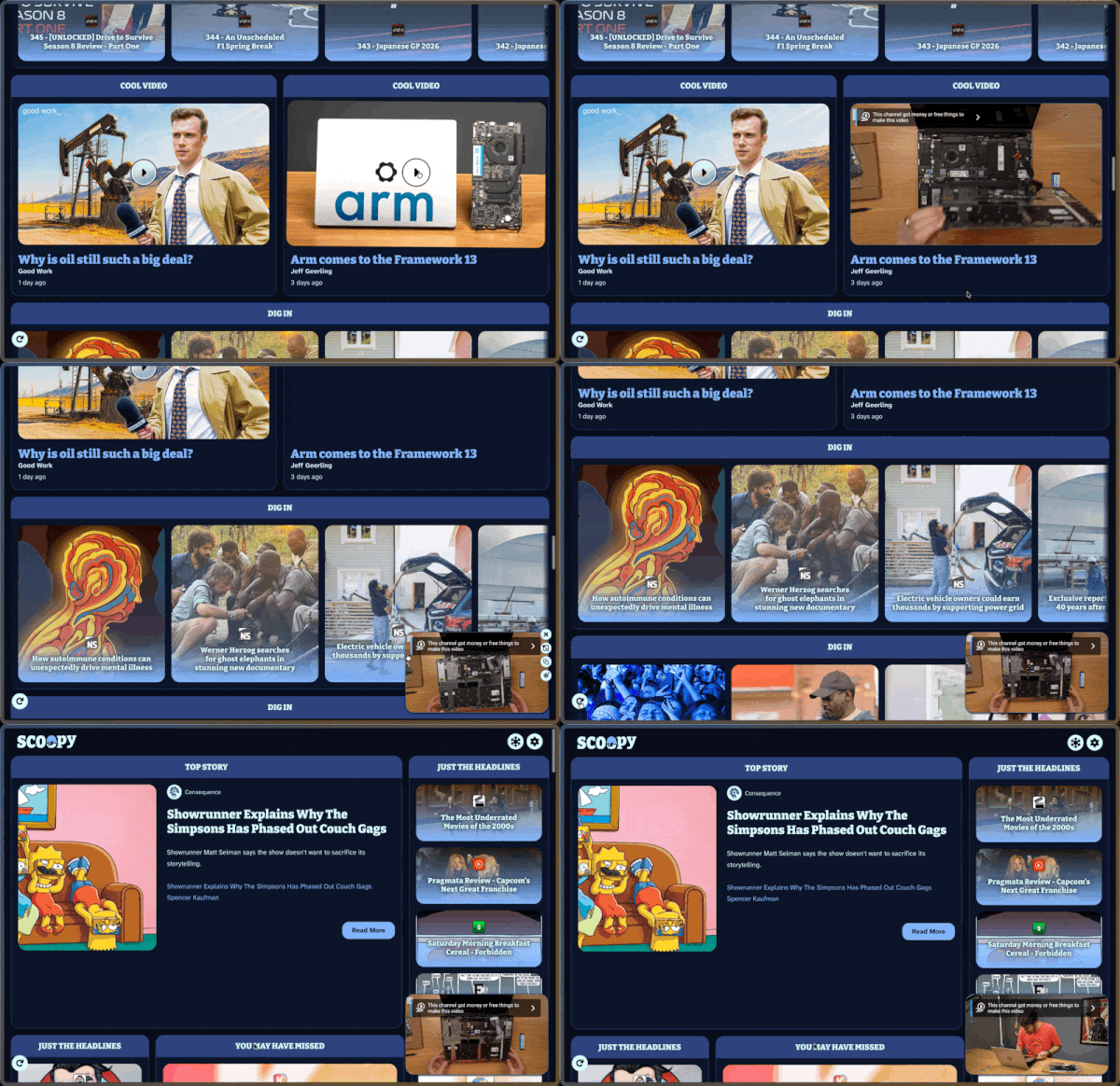
Whether listening to a podcast, playing a video from within an article, or playing a video directly in a video source, you don’t have to stand still during your enjoyment. Just keep scrolling and the player will slide from the right into a floating section in the bottom right, known as a “float”. Once something is floating, it will persist even after you hit the built-in refresh button on the lower left. You can also hover (or tap) over the float to see a similar set of actions as you would find inside a peek. (Close, copy, icebox, etc.). ...

April 18, 2026 · 1 min
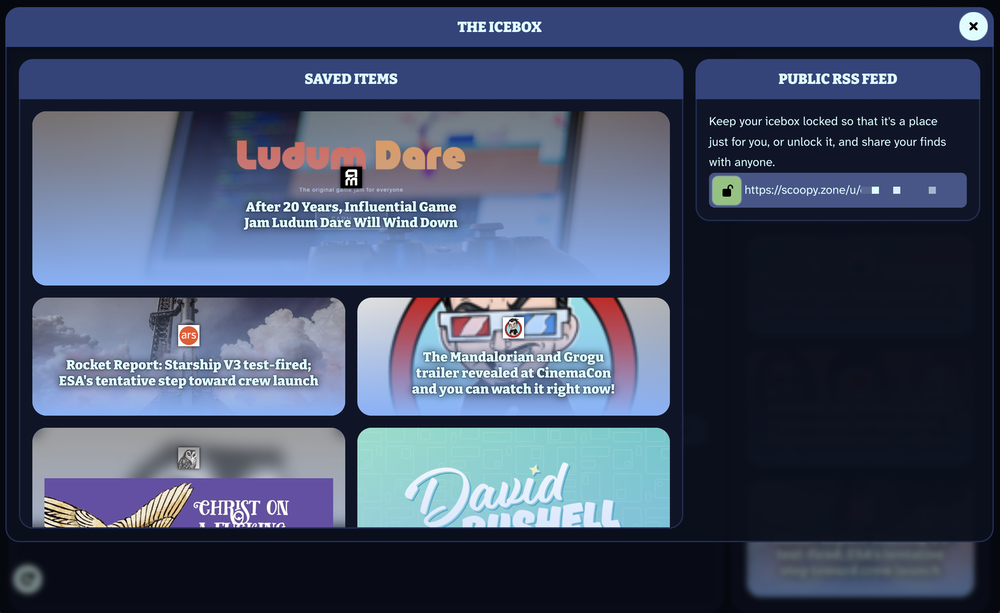
a screenshot of the icebox feature of scoopy.zone

Feature Highlight: The Icebox

The Icebox is your personal space to store articles, videos, and social posts for later. Whenever you open a peek (the name of the little box that comes up when you click on an item in your scoop) you’ll see a snowflake icon. Clicking once on that will add it to The Icebox. After that, at any time you can click the snowflake icon at the top of your scoop to see all your saved items. ...

April 17, 2026 · 2 min

The Start of Scoopy

Not burying the lede: Today is the Friends and Family launch of something that we have been working on for a while. It is called Scoopy, a new take on rss news readers. Now that we have the big news out of the way I’d like to go into story time, and then some more information. The Beginning A little less than three years ago I sent a post out to Flipboard on Mastodon asking them if they had any plans to make a “Flipboard Premium” or similar. The idea was that I enjoyed the unique way Flipboard presented my RSS feed, but they were completely powered by ads and it essentially ruined the service (a tale which we hear far too often about otherwise great products). Less than a month later, after not getting any response at all, I started to test the waters to find out if I was capable of building what I wanted myself. ...

April 16, 2026 · 5 min